Increasing Retention by 7x Through Expert Volunteers
Connect more users to their ancestors using the expertise of hundreds of experienced volunteers around the world.
Background
An idea born from observation
An obstacle patrons face is connecting into the shared public tree in FamilySearch. Being able to connect grows the patrons' tree exponentially, allowing them to see more of their ancestors and understand their heritage. When they are unable to connect, many don't know what to do or how to get help. FamilySearch has hundreds of experienced volunteers who love family history and want to help.
Hypothesis
- We believe that we can double the number of new patrons who connect to the tree.
- When a new patron accepts specific help from a consultant offered in the moment of need.
- Receiving asynchronous help from one of our 80K worldwide volunteers so that more volunteers will help because of the flexible help requirement.
- Facilitated by a system on familysearch.org that mediates the connection of new patrons with helpers.
Solution
Give patrons the ability to share their tree so a volunteer can help them
Helper Connect: FamilySearch patrons can opt-in for help from experienced volunteers from anywhere in the world. These volunteers will have the opportunity to try and connect the patron to the shared public tree in FamilySearch.
Findings from previous research
20% of patrons will return to FamilySearch when they connect to the shared public tree
- From in-person testing at an event, patrons were 100% more likely to connect to the shared public tree when working with an experienced volunteer.
- When patrons connect to the public tree, 20% will return to FamilySearch within 4 weeks (versus just 3% when they do not connect).
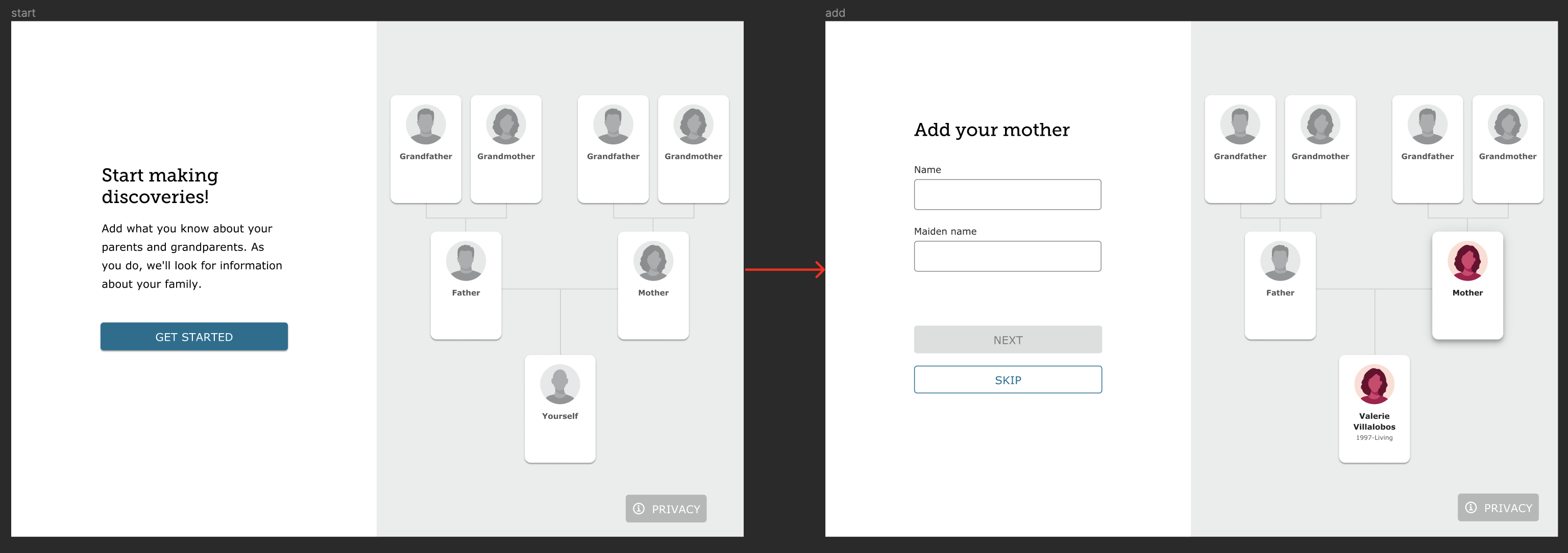
- Guided Tree (an experience on FamilySearch that helps patrons create their tree step by step) has been hugely successful. We desire to utilize this success to help more patrons.
Initial brainstorming
Collaboration to understand business and patron needs
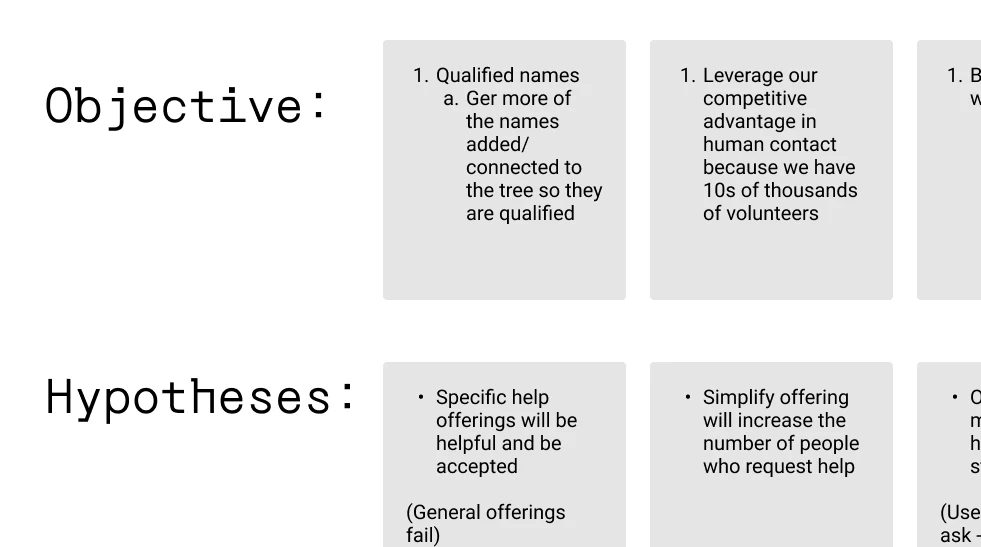
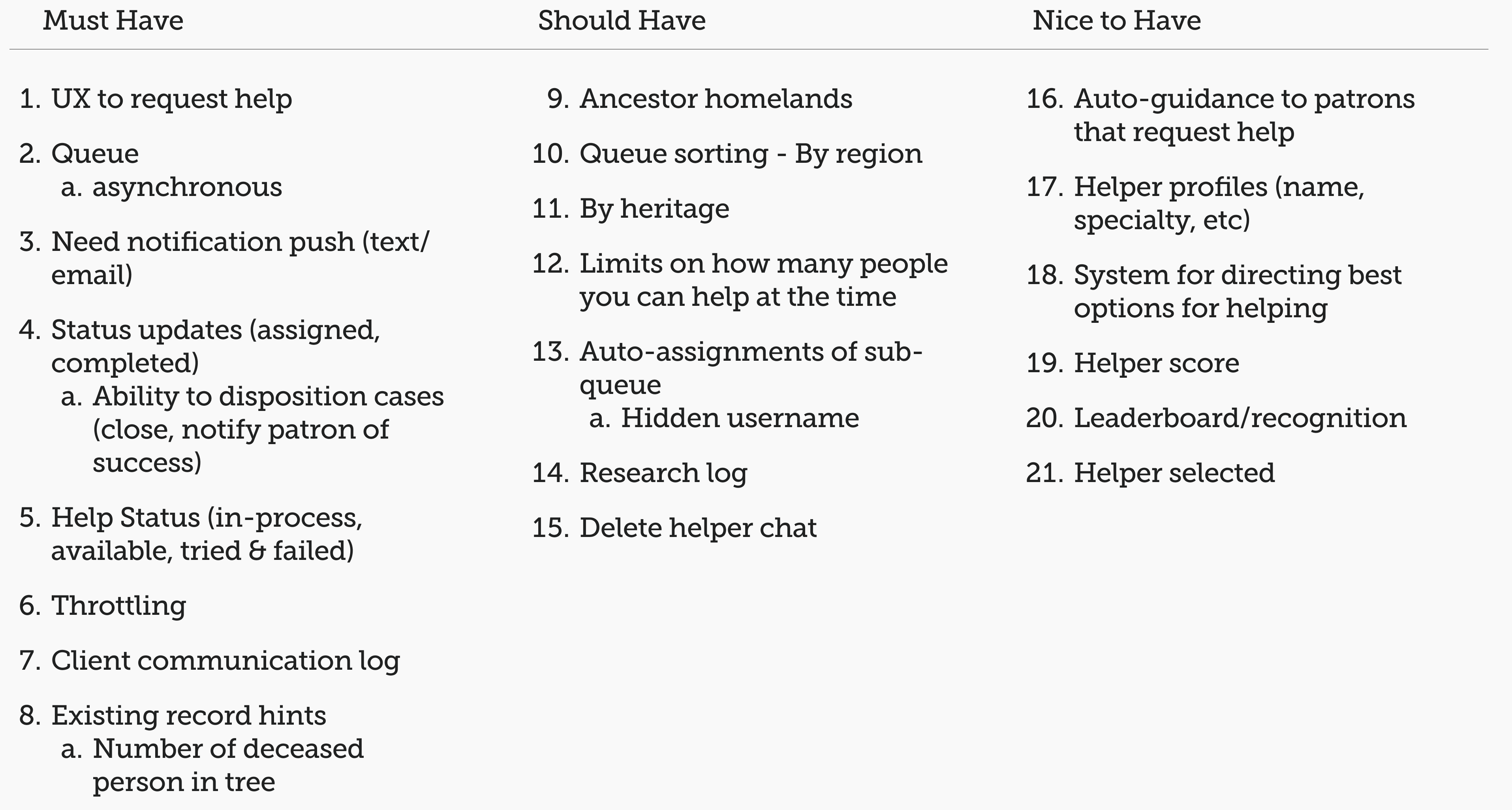
With 2 Product Managers, the Senior Product Designer, and I, we discussed:
- How this experience can meet the needs of FamilySearch and the patrons.
- Our objectives and hypotheses.
- Listed and ranked every feature needed for the MVP.
Our users
- New to FamilySearch - utilized the Guided Tree to create their family tree.
- Majority of people using Guided Tree are new users.
- Many will be new to family history.
- Only targeting those who are unable to connect to the shared family tree.
How it all connects - patrons to volunteers
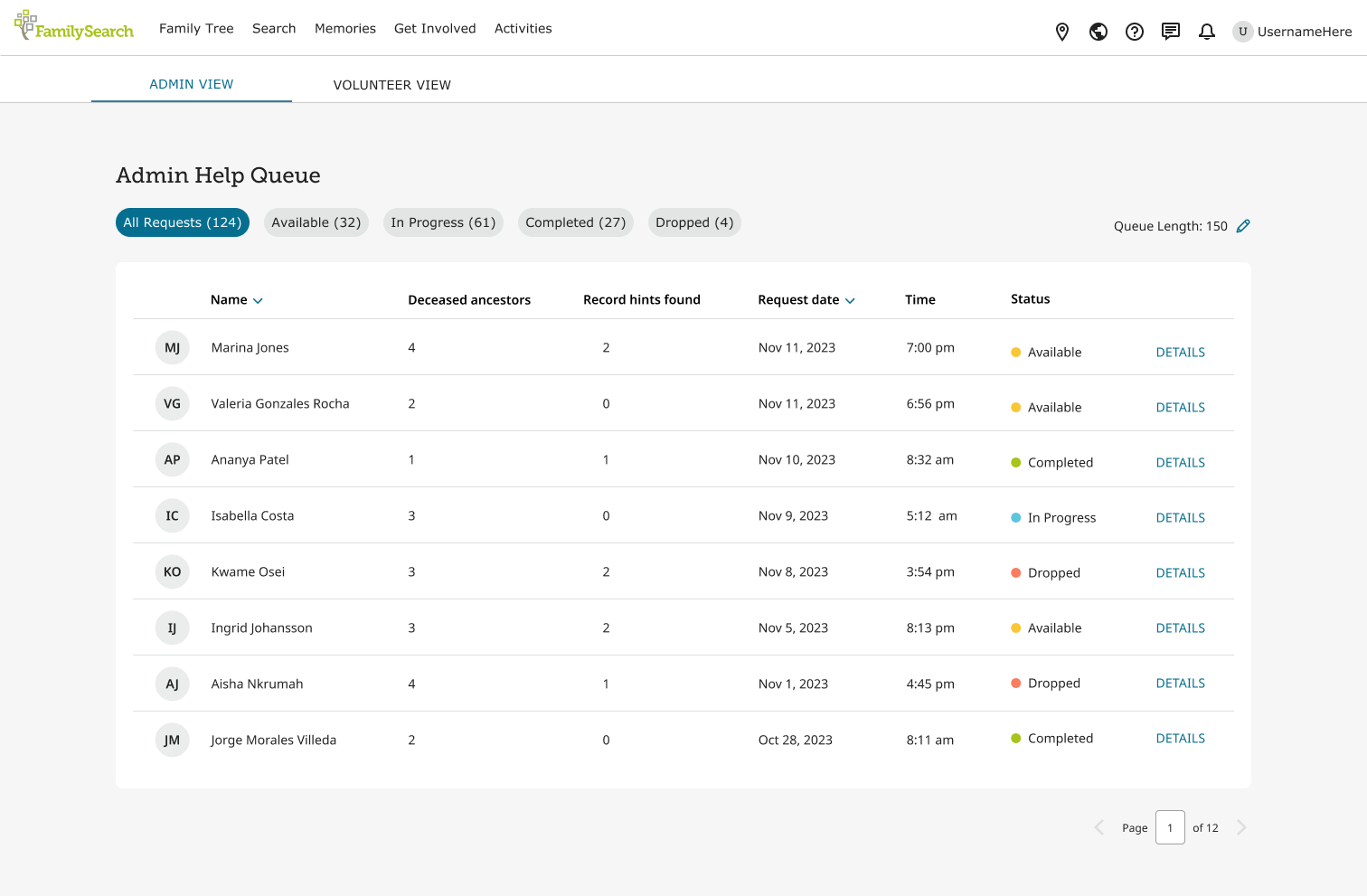
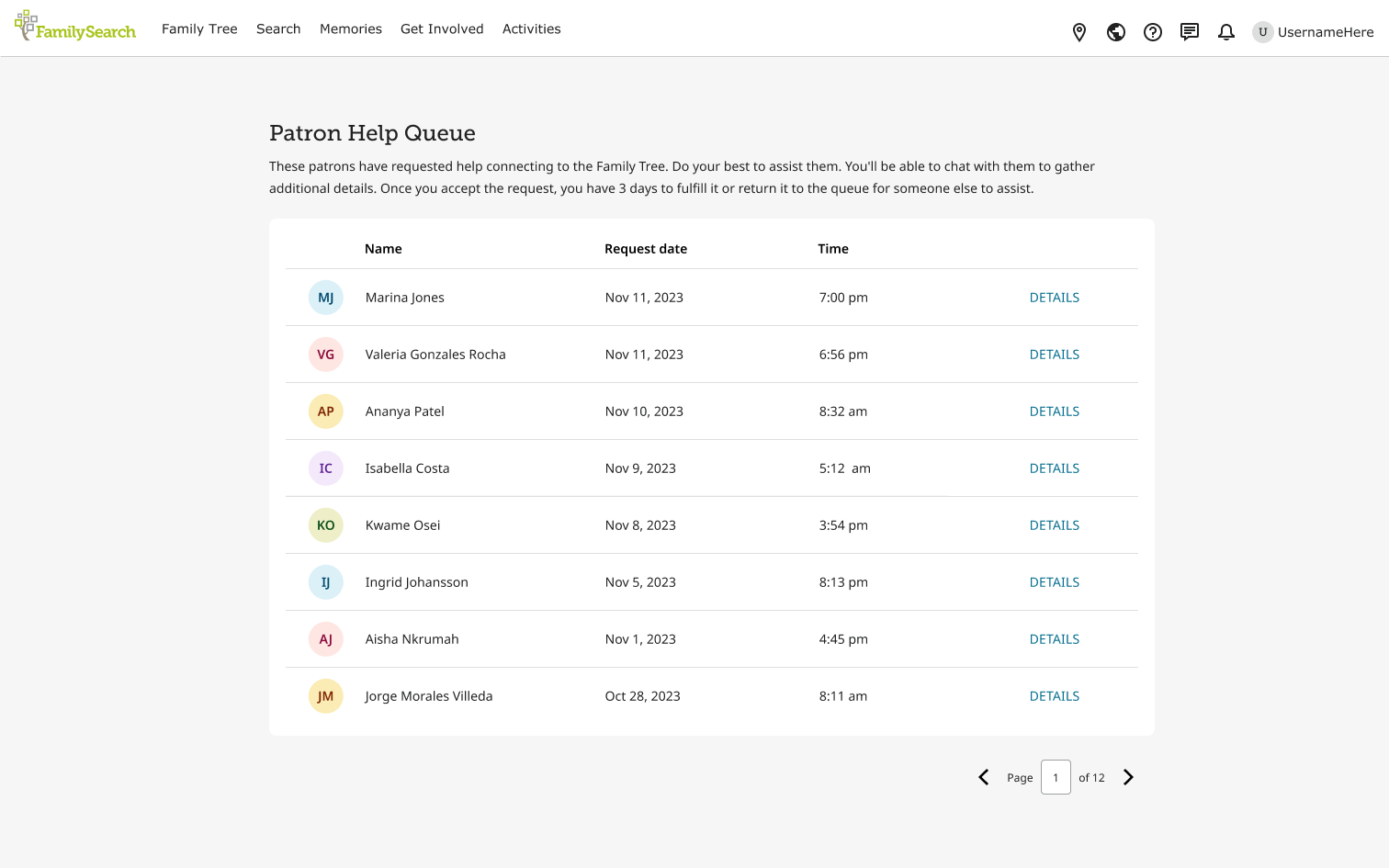
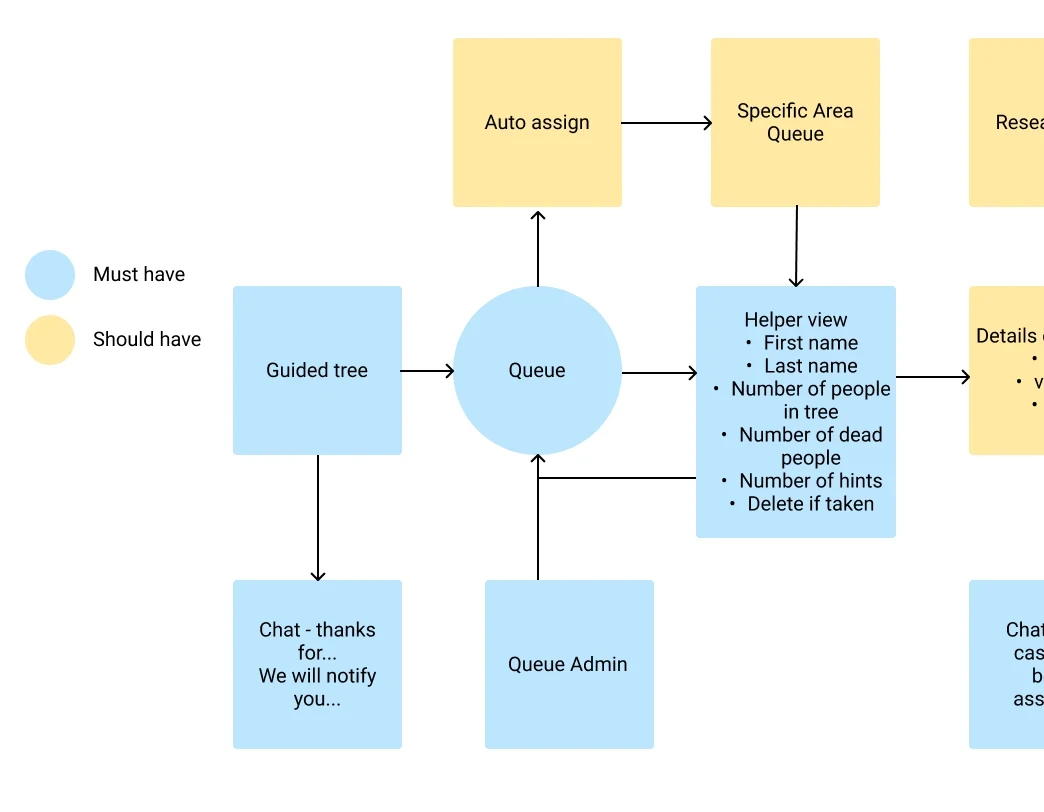
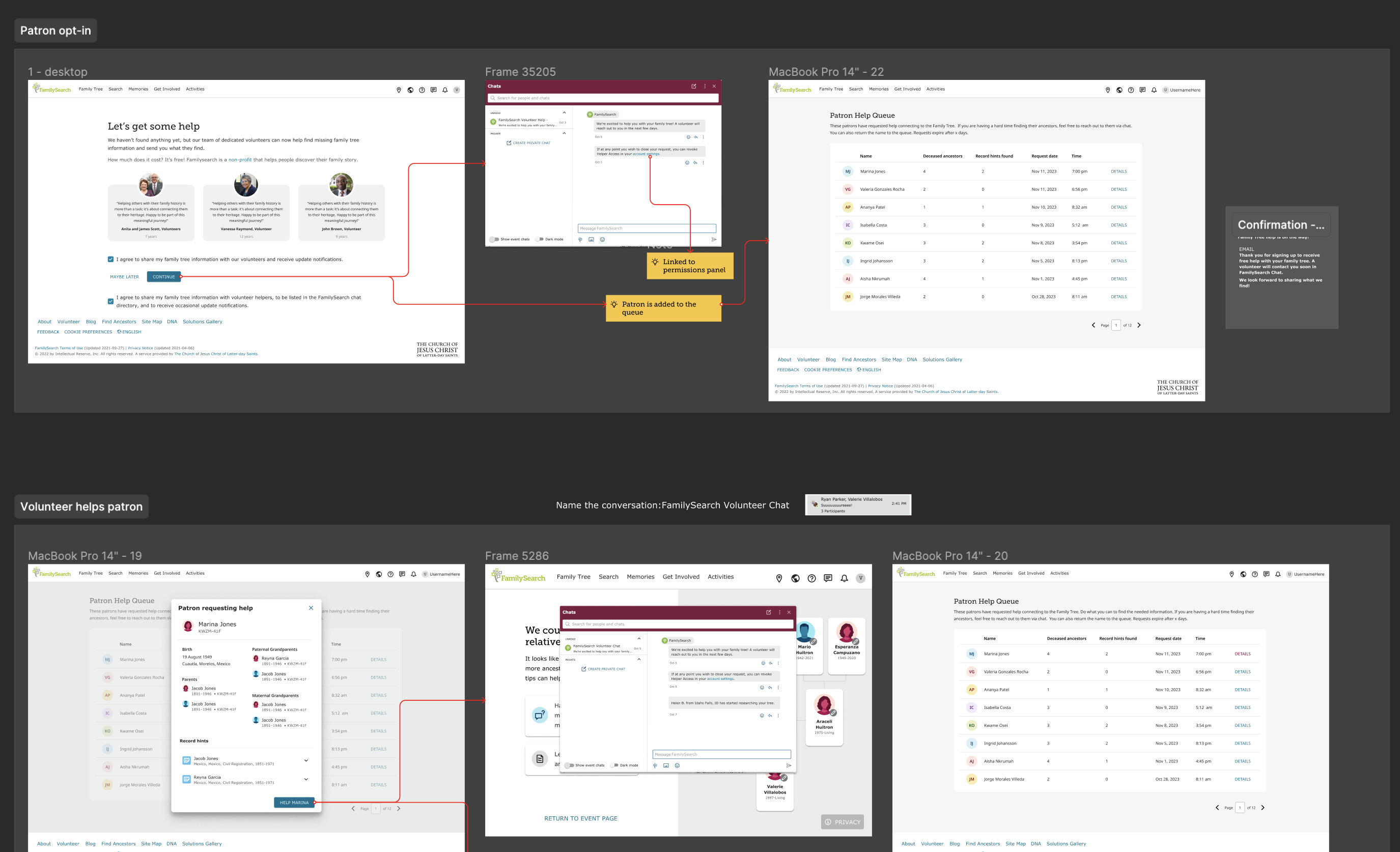
Working alongside the Senior Designer, we created a flow for how this experience would work. What we focused on:
- At what point patrons would be able to opt-in.
- How the queue would connect with volunteer tools.
- Loosely when it would interact with FamilySearch Chat.
Communication for our patrons - connecting to FamilySearch Chat
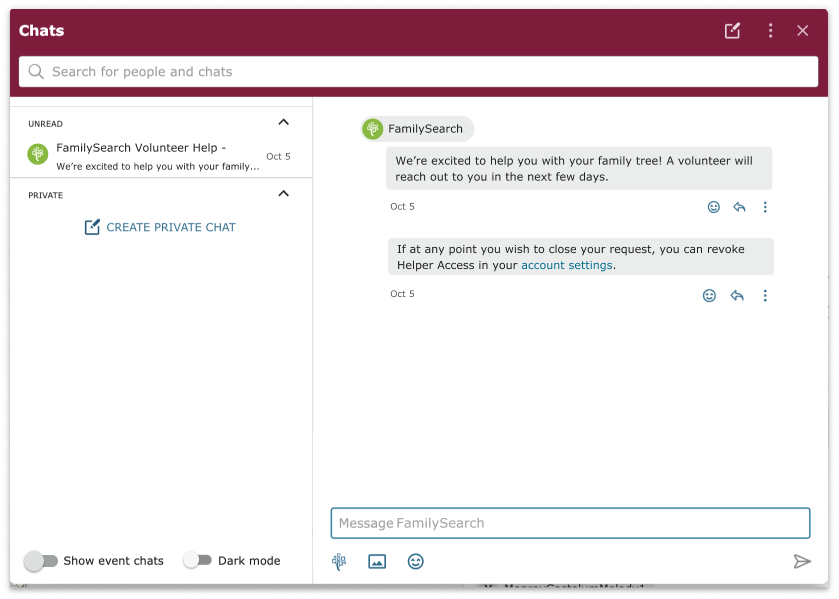
My main role on this project was to connect the experience to FamilySearch Chat. The chat feature was recently released and we wanted to utilize its functions for our experience. What I did:
- Created flows for each use case when the chat would be involved: patron opts in, opts out, volunteer sends a message, patron is dropped, etc.
- Collaborated with the writing team to create clear, concise, and on-brand messaging - chat messages and emails.
- Met frequently with the FamilySearch Chat team to ensure functionality and standards are met.
Main challenge
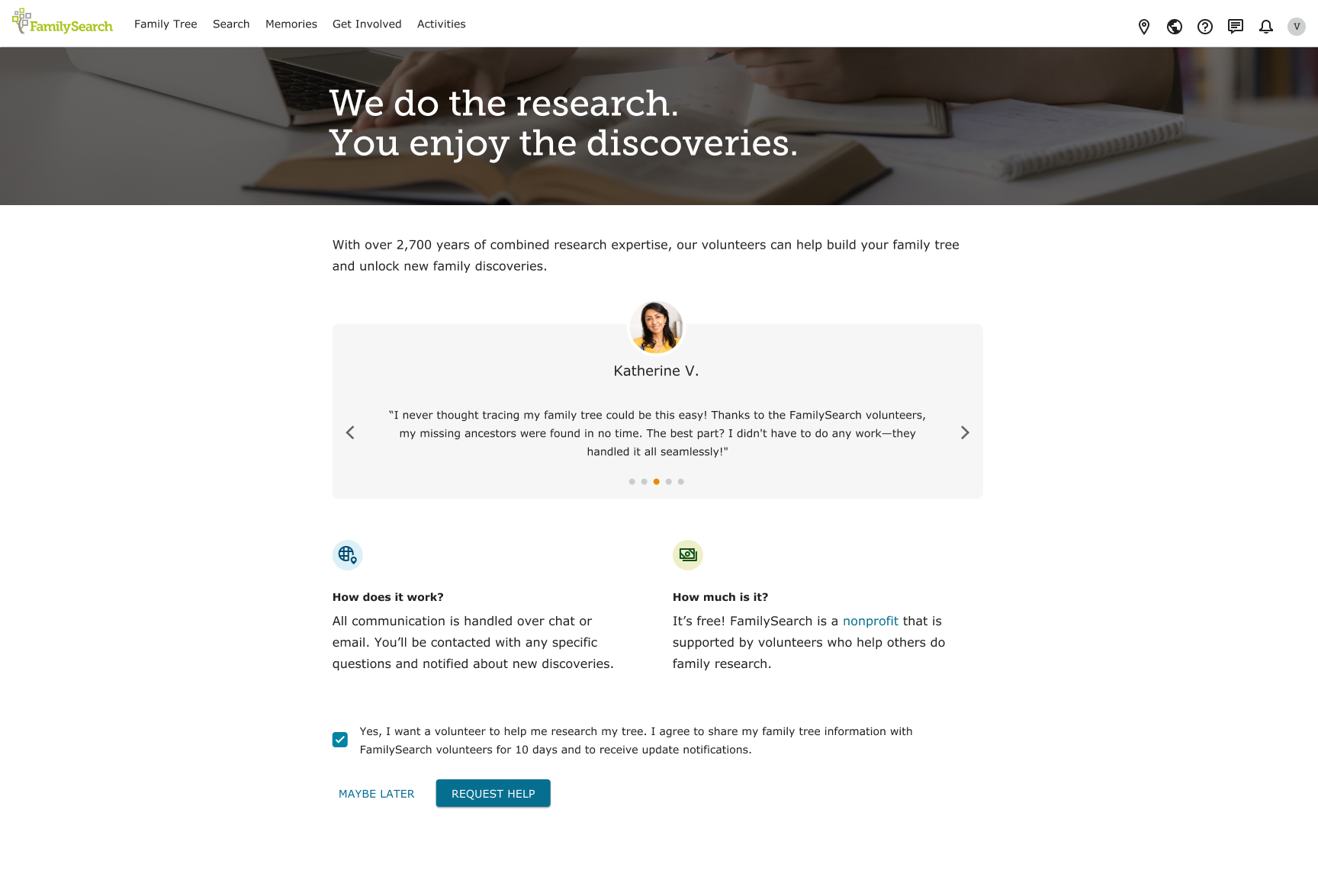
Getting the call to action (CTA) design right
The only way this experience will work is if patrons opt-in to receive help. The CTA page is crucial. After initial designs, I performed tests on UserTesting.com.
Testing findings
- Patrons preferred "Facebook" looking photos (profile photo) to "stock images".
- One design had ratings on it, many felt this was the wrong place for it.
- Overall: patrons cared about how this benefited them, how it worked, and how much it cost.
From this feedback, I launched into further designs. The senior product designer also worked alongside me to create options.
Impact
What we've learned so far
Between Feb 27 to Mar 16
| Completed | Expired/Dropped | |
|---|---|---|
| Number | 148 | 73 |
| Percentage | 67% | 33% |
67% completed - 67% of people who ask for help are connected to the shared family tree, exceeding our goal.
Next steps
- A/B testing of CTA designs paired with qualitative testing.
- Further testing with volunteers to improve their side of the experience.
- Ideation of how to improve the information added by patrons.